
Free download · Microsoft 365
Office 365 Security Checklist (Free PDF)
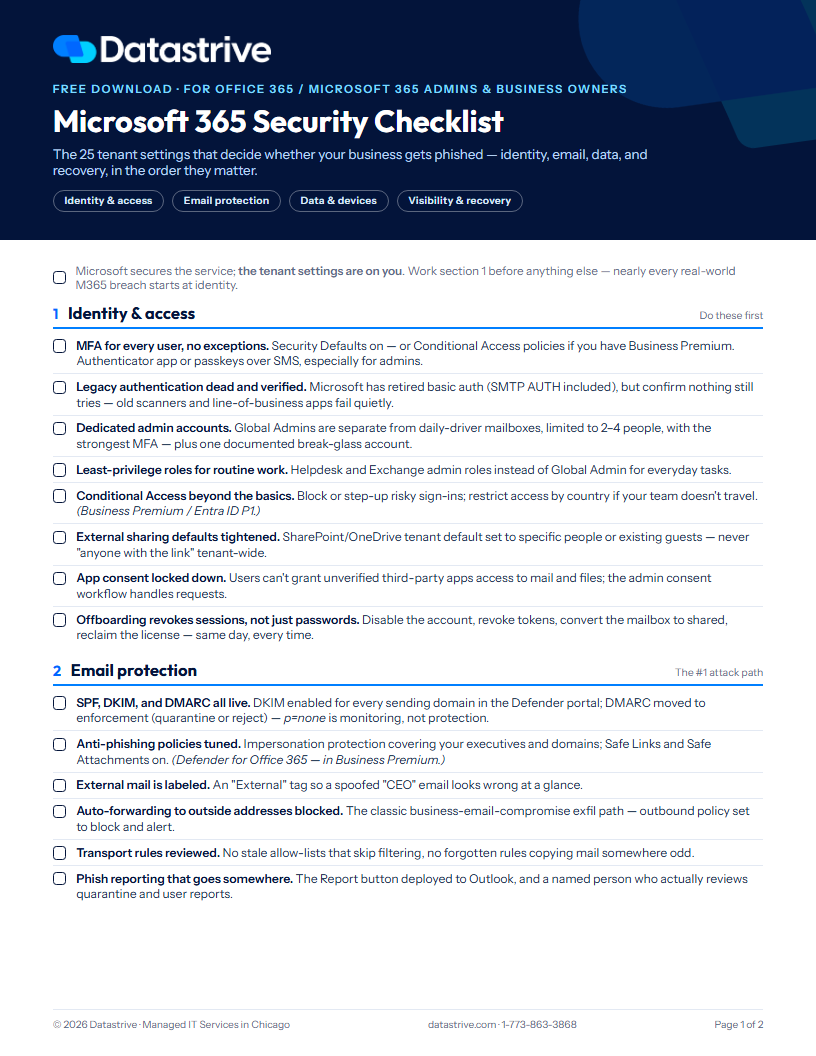
The 25 Microsoft 365 tenant settings that decide whether your business gets phished — identity, email, data, and recovery, in the order they matter.
First, the naming thing: Office 365 and Microsoft 365 are the same platform — Microsoft renamed it in 2020. Whichever you call it, the part that matters is this: Microsoft secures the service, but your tenant's settings are on you. Out of the box, external sharing is generous, auto-forwarding works, DMARC isn't enforced, and nothing is backed up outside Microsoft. Every one of those defaults has a breach story behind it.
This checklist is the baseline we hold our own clients' tenants to — the same hardening our Microsoft 365 MDR service applies and then watches around the clock. Work it top to bottom; nearly every real-world Microsoft 365 compromise starts at identity, which is why MFA and legacy auth are items one and two.
We ask for your first name and email, then the PDF downloads right here.
What's inside
Identity & access — MFA without exceptions, legacy auth verification, dedicated admin accounts, Conditional Access, app consent, offboarding that revokes sessions
Email protection — SPF/DKIM/DMARC at enforcement, anti-phishing policies, external tagging, the auto-forwarding block, transport-rule review
Data & devices — Intune compliance, app protection on personal phones, DLP, retention set on purpose, guest expiry
Visibility & recovery — audit logging, alerts someone reads, tenant-wide inbox-rule sweeps, Secure Score, third-party backup, and the "account phished" playbook
The five tenant gaps we find most in small-business tenants
The checklist
1. Identity & access — do these first
MFA for every user, no exceptions. Security Defaults on — or Conditional Access policies if you have Business Premium. Authenticator app or passkeys over SMS, especially for admins.
Legacy authentication dead and verified. Microsoft has retired basic auth (SMTP AUTH included), but confirm nothing still tries — old scanners and line-of-business apps fail quietly.
Dedicated admin accounts. Global Admins separate from daily-driver mailboxes, limited to 2–4 people, strongest MFA — plus one documented break-glass account.
Least-privilege roles for routine work. Helpdesk and Exchange admin roles instead of Global Admin for everyday tasks.
Conditional Access beyond the basics. Block or step-up risky sign-ins; restrict access by country if your team doesn't travel. (Business Premium / Entra ID P1.)
External sharing defaults tightened. SharePoint and OneDrive tenant default set to specific people or existing guests — never "anyone with the link" tenant-wide.
App consent locked down. Users can't grant unverified third-party apps access to mail and files; the admin consent workflow handles requests.
Offboarding revokes sessions, not just passwords. Disable the account, revoke tokens, convert the mailbox to shared, reclaim the license — same day, every time.
2. Email protection — the #1 attack path
SPF, DKIM, and DMARC all live. DKIM enabled for every sending domain in the Defender portal; DMARC moved to enforcement (quarantine or reject) — p=none is monitoring, not protection.
Anti-phishing policies tuned. Impersonation protection covering your executives and domains; Safe Links and Safe Attachments on. (Defender for Office 365 — included in Business Premium.)
External mail is labeled. An "External" tag so a spoofed "CEO" email looks wrong at a glance.
Auto-forwarding to outside addresses blocked. The classic business-email-compromise exfiltration path — outbound policy set to block and alert.
Transport rules reviewed. No stale allow-lists that skip filtering, no forgotten rules copying mail somewhere odd.
Phish reporting that goes somewhere. The Report button deployed to Outlook, and a named person who actually reviews quarantine and user reports.
Phishing still getting through? Our email security service layers on top of everything in this section.
3. Data & devices — where the files live
Only healthy devices reach company data. Intune compliance enforcing disk encryption, PIN, and screen lock — or at minimum, Conditional Access blocking downloads to unmanaged machines. (Business Premium.)
App protection on personal phones. Outlook and Teams wrapped with an app PIN and selective wipe — company data comes off the phone without touching family photos.
DLP for the obvious stuff. Policies watching for Social Security and card numbers leaving by mail or share — monitor mode is fine to start. (Business Premium.)
Retention set on purpose. You know what happens to a departed user's mailbox and OneDrive, and how long deleted items survive — decided, not defaulted.
Guests expire. Teams and SharePoint guest access reviewed quarterly; stale outside users removed.
4. Visibility & recovery — catch it, prove it, restore it
Unified audit log on — and you know your window. Verify it's enabled; standard retention is 180 days, so export or extend if you need more.
Alerts someone actually reads. Admin role changes, mass deletions, unusual mail flow, and new inbox rules raise an alert to a named person.
Inbox rules swept tenant-wide. Hidden forward-and-delete rules are the #1 fingerprint of a compromised mailbox — audit them on a schedule.
Secure Score reviewed quarterly. Track it, work the top recommendations, and write down the exceptions you're accepting.
A real backup outside Microsoft. Retention is not backup. Mailboxes, OneDrive, SharePoint, and Teams backed up to a third party — with a documented test restore.
A written "account phished" playbook. Who revokes sessions, resets credentials, checks inbox rules and OAuth grants, and notifies clients — before it happens, not during.
Want the whole environment reviewed, not just the tenant? Start with our cybersecurity services.
The five tenant gaps we find most
1. MFA "enabled" but not enforced for every account — or SMS-only for admins
2. Legacy auth still alive for "that one scanner"
3. DMARC stuck at p=none, or DKIM never enabled on the vanity domain
4. Auto-forwarding to a personal Gmail nobody knew about
5. No backup outside Microsoft — retention mistaken for backup
Office 365 security FAQ
Is Office 365 the same as Microsoft 365?
Yes — Microsoft renamed Office 365 to Microsoft 365 in 2020. Same platform, same admin centers, same settings. This checklist applies to both names and to every business plan (Business Basic, Standard, Premium, and the enterprise E plans).
Isn't Microsoft 365 secure by default?
Microsoft secures the infrastructure, and Security Defaults now push MFA — but the tenant-level decisions are yours: sharing defaults, forwarding rules, DMARC enforcement, admin hygiene, device access, and backup. That's the shared responsibility model, and it's exactly the gap this checklist covers.
Do we need Microsoft 365 Business Premium for this?
About two-thirds of the list works on any plan. The items marked Business Premium — Conditional Access, Defender for Office 365 (Safe Links, impersonation protection), Intune, and DLP — are the main reason Premium is the plan we recommend for any business with something to lose; it's effectively the security tier.
Does Microsoft back up our Office 365 data?
No — Microsoft provides retention and recycle bins, not a backup. Deleted or ransomware-encrypted data ages out of retention windows, and Microsoft's own services agreement recommends third-party backup. Mail, OneDrive, SharePoint, and Teams should be backed up outside the tenant, with test restores you can show an auditor or insurer.
Want this done for you — and watched 24/7?
Datastrive's Microsoft 365 MDR hardens your tenant against this exact list, then keeps watching: risky sign-ins, new inbox rules, and rogue OAuth grants get caught and shut down around the clock. We offer a free M365 security review for Chicago-area businesses — we'll score your tenant against all 25 items and hand you the findings.
Prefer to talk? Call 1-773-863-3868.
More free resources: HIPAA Compliance Checklist · Small Business Cyber Security Checklist · see all free resources
Feature availability varies by license — items marked Business Premium require Microsoft 365 Business Premium or equivalent Entra ID P1 / Defender / Intune add-ons.