
Free download · Healthcare IT
HIPAA Compliance Checklist (Free PDF)
Every administrative, technical, and physical safeguard the HIPAA Security Rule expects from a small practice — on two pages, in plain English.
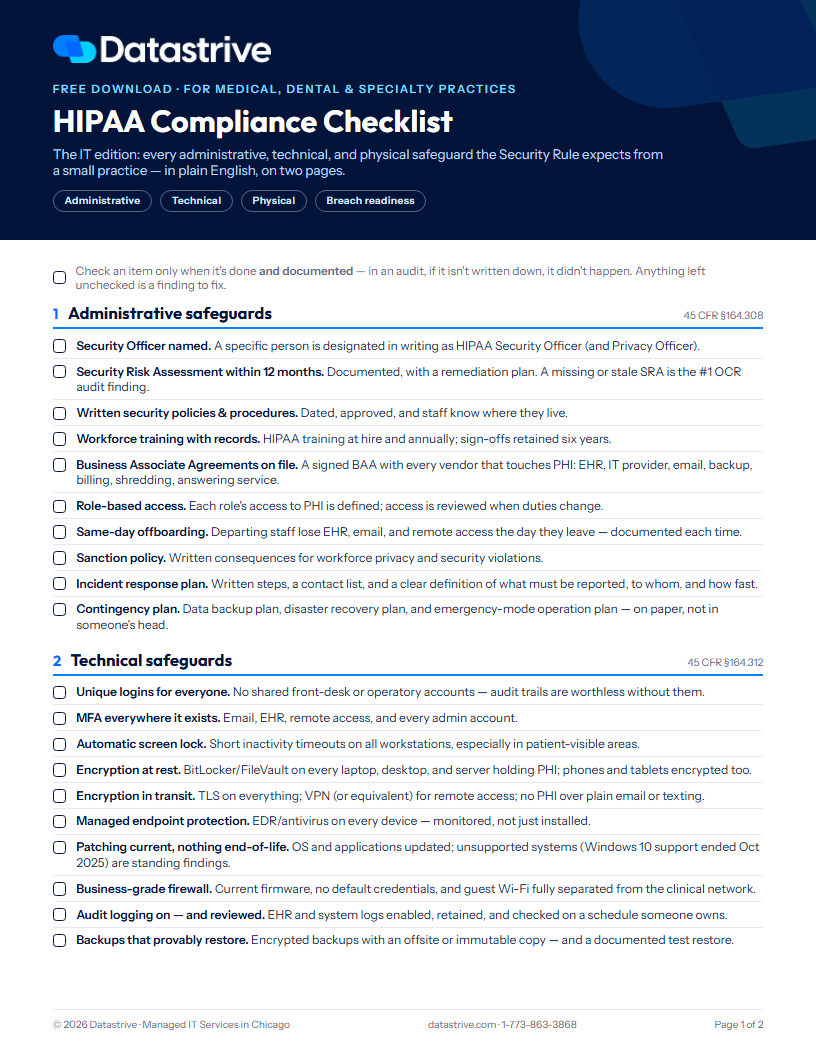
Most HIPAA guides are written for hospital compliance departments. This one is written for the practices we actually work with: the dental office with eleven workstations, the specialty clinic whose "server room" is a closet. Print it, walk your office with it, and check an item only when it's done and documented — in an audit, if it isn't written down, it didn't happen.
We ask for your first name and email, then the PDF downloads right here.
What's inside
Administrative safeguards (§164.308) — the Security Officer, your Security Risk Assessment, training records, BAAs, offboarding, and the contingency plan
Technical safeguards (§164.312) — unique logins, MFA, encryption at rest and in transit, EDR, patching, firewalls, audit logs, and backups that provably restore
Physical safeguards (§164.310) — locked network gear, screen placement, device inventory, mobile rules, and certified media disposal
Breach readiness (§164.400–414) — the 60-day notification clock, cyber insurance, and the six-year paper trail
The five gaps we find most in small practices — so you know where to look first
The checklist
1. Administrative safeguards — 45 CFR §164.308
Security Officer named. A specific person is designated in writing as HIPAA Security Officer (and Privacy Officer).
Security Risk Assessment within 12 months. Documented, with a remediation plan. A missing or stale SRA is the #1 OCR audit finding.
Written security policies & procedures. Dated, approved, and staff know where they live.
Workforce training with records. HIPAA training at hire and annually; sign-offs retained six years.
Business Associate Agreements on file. A signed BAA with every vendor that touches PHI: EHR, IT provider, email, backup, billing, shredding, answering service.
Role-based access. Each role's access to PHI is defined; access is reviewed when duties change.
Same-day offboarding. Departing staff lose EHR, email, and remote access the day they leave — documented each time.
Sanction policy. Written consequences for workforce privacy and security violations.
Incident response plan. Written steps, a contact list, and a clear definition of what must be reported, to whom, and how fast.
Contingency plan. Data backup plan, disaster recovery plan, and emergency-mode operation plan — on paper, not in someone's head.
2. Technical safeguards — 45 CFR §164.312
Unique logins for everyone. No shared front-desk or operatory accounts — audit trails are worthless without them.
MFA everywhere it exists. Email, EHR, remote access, and every admin account.
Automatic screen lock. Short inactivity timeouts on all workstations, especially in patient-visible areas.
Encryption at rest. BitLocker/FileVault on every laptop, desktop, and server holding PHI; phones and tablets encrypted too.
Encryption in transit. TLS on everything; VPN (or equivalent) for remote access; no PHI over plain email or texting.
Managed endpoint protection. EDR/antivirus on every device — monitored, not just installed.
Patching current, nothing end-of-life. OS and applications updated; unsupported systems (Windows 10 support ended October 2025) are standing findings.
Business-grade firewall. Current firmware, no default credentials, and guest Wi-Fi fully separated from the clinical network.
Audit logging on — and reviewed. EHR and system logs enabled, retained, and checked on a schedule someone owns.
Backups that provably restore. Encrypted backups with an offsite or immutable copy — and a documented test restore.
Need help closing these? Our cybersecurity services cover every item in this section.
3. Physical safeguards — 45 CFR §164.310
Server and network gear locked up. A locked closet or cabinet — not under the front desk.
Screens out of patient sightlines. Monitor placement and privacy filters at check-in and in shared areas.
Current device inventory. A living list of every device that touches PHI — including phones, tablets, and anything that leaves the building.
Mobile device rules. PIN or biometric required, remote wipe enabled, and a written lost-or-stolen procedure.
Certified media disposal. Drives wiped or destroyed with a certificate; paper PHI shredded, never dumpstered.
Facility access controlled. Who holds keys and alarm codes is documented; visitors have a policy.
4. Breach readiness — 45 CFR §164.400–414
You know the clock. Affected individuals notified within 60 days of discovery; HHS notified (within 60 days if 500+ affected, otherwise on the annual log); local media if 500+ in one area.
Cyber liability insurance in force. And the controls the application promised — MFA, EDR, tested backups — are actually in place, or a claim can be denied.
Incident contacts on paper. IT provider, insurer's breach hotline, and attorney — reachable even when systems are down.
Six-year paper trail. Policies, training logs, SRAs, BAAs, and test-restore records retained six years.
The five gaps we find most in small practices
1. No documented Security Risk Assessment — or one from years ago
2. Shared logins at the front desk
3. No BAA with the IT company or email vendor
4. Backups that have never been test-restored
5. Windows 10 machines still running after end of support
HIPAA checklist FAQ
Is there an official HIPAA compliance checklist?
No — HHS doesn't publish a single official checklist, because the Security Rule is intentionally flexible about how you meet each safeguard. What HHS does provide is a free Security Risk Assessment (SRA) tool. A checklist like this one translates the safeguards into the concrete items a small practice can actually verify.
What are the three types of HIPAA safeguards?
Administrative (policies, training, risk assessments, vendor agreements), technical (access controls, encryption, audit logging), and physical (facility and device security). The Breach Notification Rule adds a fourth dimension: what you must do, and how fast, when something goes wrong.
How often do we need a Security Risk Assessment?
At least annually, and after any significant change — a new EHR, an office move, a new location. The SRA is the single most-cited gap in OCR enforcement, and "we did one years ago" doesn't count.
Does HIPAA really apply to small and dental practices?
Yes. OCR has settled enforcement actions with single-location dental and medical practices, and cyber insurers increasingly require the same controls HIPAA does. The good news: at small-practice scale, most of this list is straightforward to close — which is exactly what the free gap assessment below is for. (Wondering what managed IT costs for a practice? See our managed IT pricing guide.)
Want a second set of eyes?
Datastrive runs free HIPAA IT gap assessments for Chicago-area practices — we walk this exact checklist against your environment and hand you the findings, whether or not we work together.
Prefer to talk? Call 1-773-863-3868.
More free resources: Office Move Checklist · Office 365 Security Checklist · Dental Office Compliance Checklist · see all free resources
This checklist is educational material from Datastrive and is not legal advice. HIPAA compliance depends on your specific circumstances — involve your attorney or compliance consultant for determinations.